


Fluid Art:Color By Number
4.81.73K Reviews
App Specs
- Version
- 1.50.251
- Updated On
- License
- Free
- Downloads
- 500,000+
- Developer
- Fun Coloring World
- Categories
- Board
- Platform
- Android
Screenshots

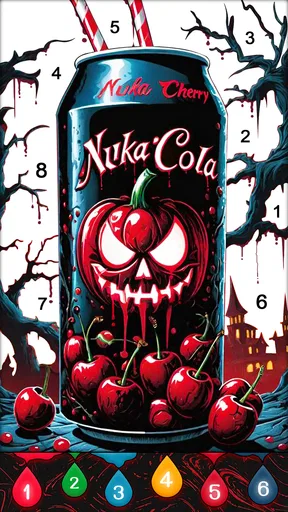
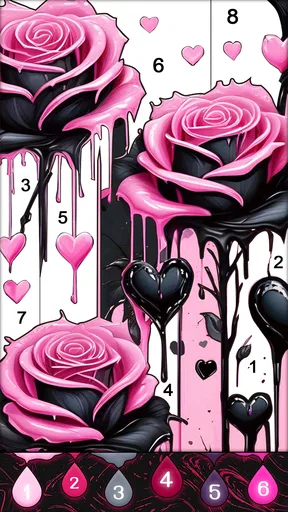
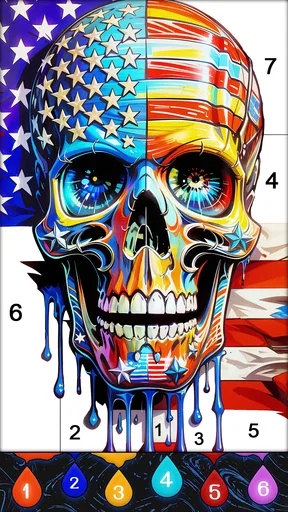
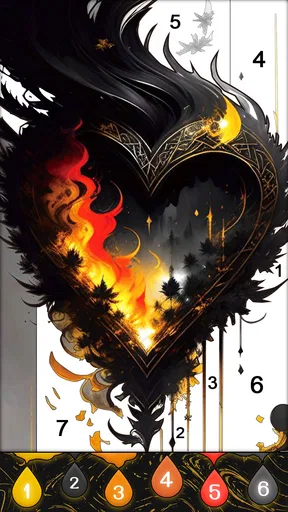
 Analysis by AppCompare
If you’ve ever found yourself doodling on the margins of your notebook during a meeting or class, you're going to love Fluid Art: Color By Number. Imagine combining the soothing satisfaction of coloring with the mesmerizing flow of liquid art. Intrigued? Let’s dive into this colorful world.
A quick, low-pressure way to begin
This is a board game built around filling pictures by number, so I’d approach it as a calm, guided activity rather than a drawing tool or a strategic puzzle. That distinction matters: the appeal is seeing an image take shape without needing to plan every mark yourself. If I have a few quiet minutes between tasks, I can pick up a picture and focus on the next color instead of deciding what to draw from scratch.
The game is free to install, and its age rating is Everyone 10+. Fun Coloring World is the developer. It has a 4.8 average from around 8,800 ratings, and has passed 500,000 installs. Those figures suggest that it has found an audience, but they don’t tell me whether its specific style will suit you; the main question is whether you enjoy number-guided coloring and fluid-looking results.
One useful way to test that is to finish a small part of a picture before settling in for a longer session. You can see whether following numbered areas feels relaxing or repetitive, and whether the visual effect is the part you enjoy most. I wouldn’t choose it expecting freehand control: the structure is the point, and it makes the activity easy to start while limiting how much you can change the artwork yourself.
Getting Started with Fluid Art: Color By Number
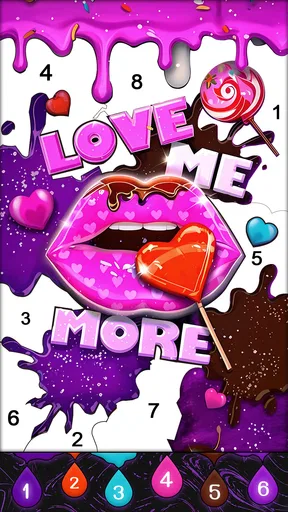
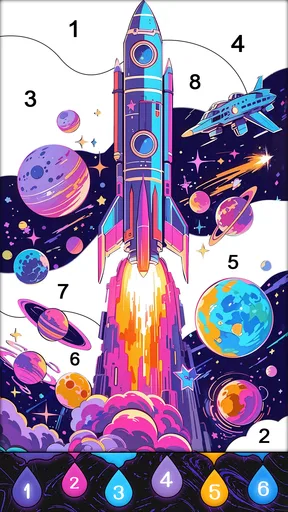
The first thing you'll notice when you fire up Fluid Art: Color By Number is how user-friendly it is. The app welcomes you with a vibrant palette of colors and a selection of designs waiting to be brought to life. You don't need to be Picasso to create something beautiful here; the app makes it as simple as tapping by numbers. Seriously, if you can count, you can create.
Features that Stand Out
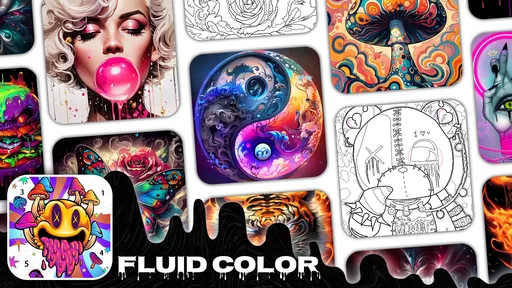
What makes this app a standout in the world of coloring apps is its unique blend of color-by-number and fluid art techniques. You get to watch colors blend and flow smoothly, creating mesmerizing patterns that are a feast for the eyes. It's like having a mini art studio right in your pocket.
Another cool feature is the variety of art pieces you can choose from. Whether you're into abstract designs, landscapes, or intricate mandalas, there's something here for every taste. Plus, the app keeps things fresh by regularly updating its library with new designs, so boredom is never an issue.
Worth Reading Before You Choose

EA SPORTS FC Mobile 26 Is a Bigger Football Game, but It Takes Time

Flipboard Shows What News Apps Must Do Beyond the Feed

Switching to Android Auto Means Rethinking Your Driving Routine

Google Calendar Makes a Crowded Week Easier to Manage

Ludo King Makes the Most of the Minutes Between Plans

Baby Panda World Brings Quick Play to Modern Phones, but Its Game Library Feels Busy
Choosing a pace that works
For a realistic everyday use, I can imagine opening it while waiting for an appointment or winding down after dinner, completing a few numbered areas rather than treating each image as a project I must finish in one sitting. That makes the guided format a practical fit for short breaks: there’s a clear next action, and I don’t need to prepare art supplies or think up a composition.
A small habit that helps with this kind of coloring is to pause whenever I start tapping automatically. I’d look at the remaining areas, switch to a different part of the picture, or stop and return later. That keeps the activity from turning into a mindless race to fill every space. The trade-off is that anyone who wants to choose every color, layer paint freely, or make a completely personal design will likely get more from a drawing app or a physical sketchbook.
Why You’ll Keep Coming Back
Beyond the obvious appeal of creating something beautiful, Fluid Art: Color By Number is incredibly relaxing. There's something almost therapeutic about watching the colors flow into each other, and the app's calming background music only adds to the zen-like experience. After a long day, it's the perfect way to unwind and let your mind drift.
Moreover, the app allows you to save and share your creations. So, if you're feeling particularly proud of a piece, you can show it off to friends or even use it as your phone wallpaper. There's a real sense of accomplishment in seeing your finished artwork.
How it compares with other coloring choices
Compared with a standard numbered coloring game, the liquid-art look is the distinctive draw here: the satisfaction comes not only from completing marked areas but also from seeing color move into a flowing visual pattern. Compared with freehand painting, it asks much less of you creatively, which is a plus when you want a guided, low-effort activity and a drawback when you want full control.
It’s also a different choice from a traditional board game that depends on turns, tactics, or competition. I’d pick this when I want something quiet to do alone, not when I’m looking to play with friends or test a strategy. If you’re deciding between this and another coloring app, think about whether the fluid visual style is more appealing than a static filled-in picture; that difference is likely to matter more than the broad label of “coloring.”
Let’s Talk Usability
One of the top priorities for any app is usability, and Fluid Art: Color By Number doesn't disappoint. The interface is intuitive, and I didn’t encounter any lag or crashes during my time with it. Switching between colors and designs is seamless, and the app runs smoothly even on older devices.
For those who might be concerned about data usage, the app is pretty light and doesn’t require a constant internet connection. You can easily enjoy it during a commute or when you’re offline, making it versatile for all kinds of situations.
Performance and device expectations
For a coloring game, the expected pace is gentle: selecting a picture and filling areas should feel more like a series of taps than a demanding, fast-action challenge. That makes it a reasonable option for a short, interrupted session, though I’d avoid assuming that every device will feel identical. The current version is 1.48.150, and the listed minimum operating system is 7.0; checking that your device meets this requirement is a sensible first step before installing.
Longer sessions can feel different from a few quick taps. A detailed image may ask for repeated attention, and the flowing visual treatment is there to be watched as well as completed. If your device feels warm or the game becomes less responsive during extended play, I’d pause, close other demanding apps, and try a shorter session. Those are practical habits, not a guarantee about how the game behaves on every phone or tablet.
Reliability matters most when you’re partway through a picture. Since the game offers saving and sharing, I’d save a finished piece when I’m pleased with it rather than leaving that step until much later. If you’re interrupted, returning to the activity at a convenient time is a better fit than starting a session when you know you’ll need to rush. I wouldn’t treat it as a substitute for a full art editor or assume that every workflow detail will match one.
Some Things to Keep in Mind
While there’s a lot to love, it’s worth mentioning that some features are locked behind in-app purchases or ads. If you’re someone who prefers a fully free experience, this might be a slight downside. However, the free version still offers a substantial amount of content to keep you entertained.
The game is free, but in-app purchases range from $1.99 to $59.99 per item. I’d treat paid options as optional spending rather than something to buy immediately: first see whether the free experience and the coloring style hold your interest. If you’re sharing a device or managing purchases for someone else, it’s worth reviewing purchase controls in the relevant app-store settings before handing it over.
Also, if you’re new to coloring apps, there might be a slight learning curve in understanding how to best blend colors for the most striking effect. But once you get the hang of it, it's smooth sailing from there.
For the strongest results, I’d avoid tapping through a picture without looking at how neighboring colors interact. Taking a moment to notice the emerging pattern makes the fluid style feel more intentional, even though the numbered areas guide the process. And if the blend effect isn’t what you enjoy, there’s no need to force it; a conventional coloring app may be a better match for someone who prefers a simpler, more static finish.
Who is likely to enjoy it
I’d recommend trying it if you like calm, visual activities, prefer having a clear next step, and enjoy watching a picture develop without needing drawing skills. It can suit a solo break, a quiet evening, or a short wait when you want something more engaging than scrolling but less involved than a competitive game. The 10+ age rating also makes it relevant for older children and adults, though personal preferences and the device owner’s purchase settings still matter.
I’d skip it if your main goal is making original artwork from a blank canvas, playing a social board game, or getting a deep challenge with rules and tactics. It may also be a poor fit if repeated tapping and gradual completion feel tedious to you. In those cases, freehand drawing, a physical coloring book, or a more traditional board game better matches the activity you’re actually looking for.
Final Thoughts
Overall, if you’re looking for a fun, relaxing way to express your creativity, Fluid Art: Color By Number is an excellent choice. It’s a beautifully designed app that makes art accessible to everyone, regardless of your skill level. Whether you’re a seasoned artist or just someone who enjoys a bit of color therapy, this app has something to offer.
For me, its strongest point is the combination of easy, number-led coloring and a fluid visual finish; its main limitation is that this guidance won’t satisfy someone who wants to control every mark. I’d try the free version first, keep sessions at the pace that feels comfortable, and decide based on whether the process itself is enjoyable—not just whether the finished image looks good.
Ready to get those creative juices flowing? You can download Fluid Art: Color By Number from your app store and start creating your own masterpieces today. Trust me, your inner artist will thank you.
Pros
- Intuitive interface for easy navigation.
- Wide range of vibrant colors available.
- Relaxing music enhances the experience.
- Offline mode supports creativity anywhere.
- Frequent updates with new designs.
Cons
- Ads can interrupt the creative flow.
- Limited features in free version.
- Some designs are paywalled.
- Occasional lag on older devices.
- No social sharing integration.
FAQs for Fluid Art:Color By Number
What is Fluid Art: Color By Number and how does it work?
Fluid Art: Color By Number is a creative app designed for both Android and iOS platforms that allows users to create vibrant, fluid art pieces by following a color-by-number system. Users select a design, and the app guides them through the coloring process, using intuitive touch controls to apply colors to specific areas, resulting in beautiful fluid artwork.
Is Fluid Art: Color By Number suitable for children?
Yes, Fluid Art: Color By Number is suitable for children as it is simple to use and provides a fun way to engage in creative activities. The app offers a range of difficulty levels, making it accessible for different age groups. Additionally, the guided color-by-number system helps children develop fine motor skills and color recognition.
Are there any in-app purchases or advertisements in Fluid Art: Color By Number?
Fluid Art: Color By Number offers a free version with basic features, but it may include advertisements. To enhance the experience, users can make in-app purchases to unlock premium content, such as additional designs and ad-free usage. This model allows users to enjoy the app's core features without cost, while also offering upgrades for a more extensive experience.
Does Fluid Art: Color By Number require an internet connection to function?
Fluid Art: Color By Number can be used offline for coloring activities, which makes it convenient for use on-the-go or in areas with limited internet access. However, an internet connection is required for downloading new designs, updates, and for accessing any online features or purchasing premium content within the app.
How does Fluid Art: Color By Number enhance creativity and relaxation?
Fluid Art: Color By Number provides a relaxing and therapeutic experience by allowing users to immerse themselves in a creative process. The app's fluid designs and soothing color palette options can help reduce stress and anxiety. By focusing on the structured yet creative task of coloring, users can find a meditative escape from daily pressures.


